
How AI Agents Are Transforming Web Browsing and Productivity
OpenAI’s Codex Expands Beyond Coding Into Real-World Browser Tasks
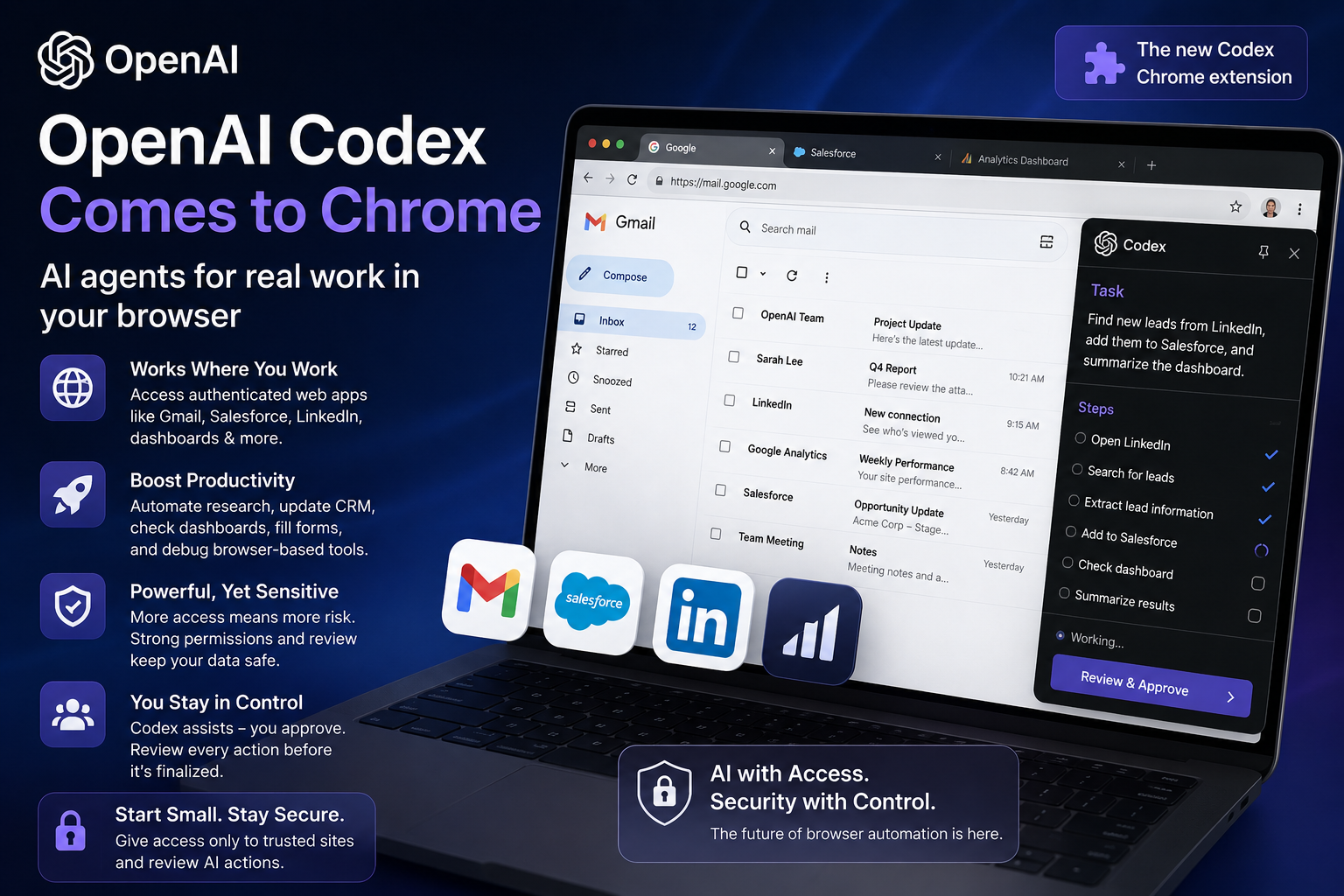
With the release of the new Codex Chrome plugin, OpenAI is expanding its AI goals well beyond software creation. Codex may now work directly inside authenticated browser sessions across websites like Gmail, Salesforce, LinkedIn, dashboards, and internal business tools, marking a significant change in how AI agents interact with the internet.
With this change, Codex becomes a much more potent browser-based AI productivity tool instead of a developer-focused coding helper. The AI can now engage with actual online applications where users currently spend the majority of their workday, rather than only producing code in a separate interface.
The launch also signals the next phase of AI automation — one where AI agents operate inside real workflows rather than isolated chat windows.
However, while the new Chrome extension unlocks impressive productivity benefits, it also raises serious concerns about AI security, browser permissions, privacy risks, and how much control users should give autonomous systems.
What Is the OpenAI Codex Chrome Extension?
AI Browser Automation Is Entering a New Era
The new Codex Chrome extension allows the AI system to access browser context while users are logged into websites and services. That means the AI can assist with tasks directly inside web apps instead of requiring manual copy-and-paste workflows.
With browser integration, Codex can potentially help users:
- Research information across tabs
- Update CRM systems
- Read analytics dashboards
- Assist with LinkedIn workflows
- Fill out forms
- Debug browser-based tools
- Navigate internal company platforms
- Organize browser tasks faster
This makes the extension far more useful than traditional AI chatbots because it operates closer to where work actually happens.
For many businesses and professionals, browser tabs have become the modern workplace. OpenAI’s latest update positions Codex as an AI assistant designed specifically for that environment.
Why OpenAI’s Codex Chrome Integration Matters
AI Agents Are Moving Beyond Developer Sandboxes
Until recently, most AI coding assistants remained confined to developer environments. They generated code, answered programming questions, or suggested fixes within controlled interfaces.
Now, OpenAI is pushing Codex into live browser environments where users interact with real services, sensitive business data, and authenticated accounts.
This changes everything.
Instead of working with static prompts, Codex can now operate inside active workflows where tasks span multiple websites and tools.
For example, an employee could theoretically ask Codex to:
- Review a sales dashboard
- Collect customer information
- Update CRM entries
- Summarize emails
- Cross-check browser data
- Prepare workflow reports
That level of AI browser automation could dramatically improve productivity and reduce repetitive digital tasks.
At the same time, it introduces entirely new risks.
The Biggest Risk of AI Browser Access
Why AI Security and Permissions Matter More Than Ever
The same capabilities that make Codex powerful also make it potentially dangerous if not carefully controlled.
AI agents with browser access create a new category of cybersecurity and privacy concerns because they combine:
- Autonomy
- External web access
- Browser permissions
- Real-time interaction
- Access to authenticated accounts
Every added capability increases the chance that an AI system could misunderstand instructions, misuse permissions, or accidentally expose sensitive information.
For example, if an AI can interact with business dashboards or customer platforms, it may gain access to confidential company data.
This is why experts are paying close attention to how OpenAI handles permission systems, user approvals, and browser restrictions within the Codex extension.
The future of AI agents may depend less on how intelligent they are and more on how safely they operate.
How Much Browser Access Should AI Agents Have?
The Debate Around AI Autonomy Is Growing
One of the biggest questions surrounding AI browser tools is determining how much access is too much.
According to OpenAI, Codex does not fully take over a user’s active browsing session. Instead, it operates in a more limited and review-focused manner that keeps the user involved in the process.
That distinction matters.
Unlike fully autonomous AI agents that independently navigate the web, Codex appears designed to function more like a supervised assistant.
Still, even limited browser access creates risks when AI interacts with:
- Internal company systems
- Financial dashboards
- Business tools
- Customer databases
- Email accounts
- Browser-stored credentials
If AI systems gain too much autonomy without proper safeguards, users may unknowingly expose important information.
This is why permission controls, approval prompts, and review systems are becoming critical parts of modern AI development.
OpenAI Faces a Major Trust Challenge
Productivity Alone Won’t Be Enough
For Codex to succeed, OpenAI must convince users that the browser extension feels secure, transparent, and controllable.
The extension’s success will likely depend on several key features:
Strong Permission Controls
Users need the ability to decide exactly which websites Codex can access.
Review and Approval Systems
AI actions should require confirmation before completing sensitive tasks.
Limited Session Access
Restricting what the AI can see or modify reduces security risks.
Transparent Activity Logs
Users should be able to review what the AI did during browser sessions.
Without these safeguards, even highly useful AI tools may struggle to gain trust from businesses and professionals.
Why AI Browser Extensions Could Change Productivity Forever
The Future of Work May Be AI-Assisted Browsing
Despite the risks, AI-powered browser assistants may become one of the most important developments in workplace technology.
Modern work increasingly happens inside browsers rather than desktop software. Employees spend hours moving between tabs, dashboards, documents, emails, and online tools.
AI browser agents could reduce much of this repetitive work by:
- Automating navigation
- Summarizing information
- Organizing workflows
- Assisting with data entry
- Monitoring dashboards
- Speeding up online research
This could save businesses enormous amounts of time.
OpenAI’s Codex extension represents an early glimpse into a future where AI becomes a real-time workplace assistant rather than just a chatbot.
Best Practices for Using OpenAI Codex Safely
How Early Users Can Reduce Risks
For users experimenting with the new Codex Chrome extension, experts recommend starting cautiously.
Smart ways to use AI browser agents safely:
- Only grant access to trusted websites
- Avoid sensitive banking or financial accounts
- Review AI actions before approval
- Use limited permissions whenever possible
- Monitor account activity regularly
- Avoid storing sensitive credentials in browsers
Users should treat AI browser tools similarly to granting access to a third-party employee or contractor.
The technology is powerful, but it still requires oversight.
OpenAI Codex Signals the Next Big AI Shift
AI Agents Are Becoming Real Digital Assistants
The launch of the Codex Chrome extension represents a major turning point in artificial intelligence.
For years, AI tools mainly existed as separate chat windows that generated answers or code snippets. Now, AI systems are beginning to interact directly with the digital environments where people actually work.
This shift could redefine productivity software, workplace automation, and browser-based workflows over the next decade.
But as AI agents become more capable, the importance of privacy, transparency, and security will grow just as quickly.
OpenAI’s challenge is no longer simply building smarter AI. It’s building AI that users can trust inside their most sensitive digital spaces.
If Codex succeeds, AI browser assistants may soon become as common as search engines, email apps, and cloud storage tools — fundamentally changing how humans interact with the web forever.