Apple Watch Control Turns Your iPhone into a Pro Filmmaking Tool
Introduction: A Game-Changer for Mobile Creators
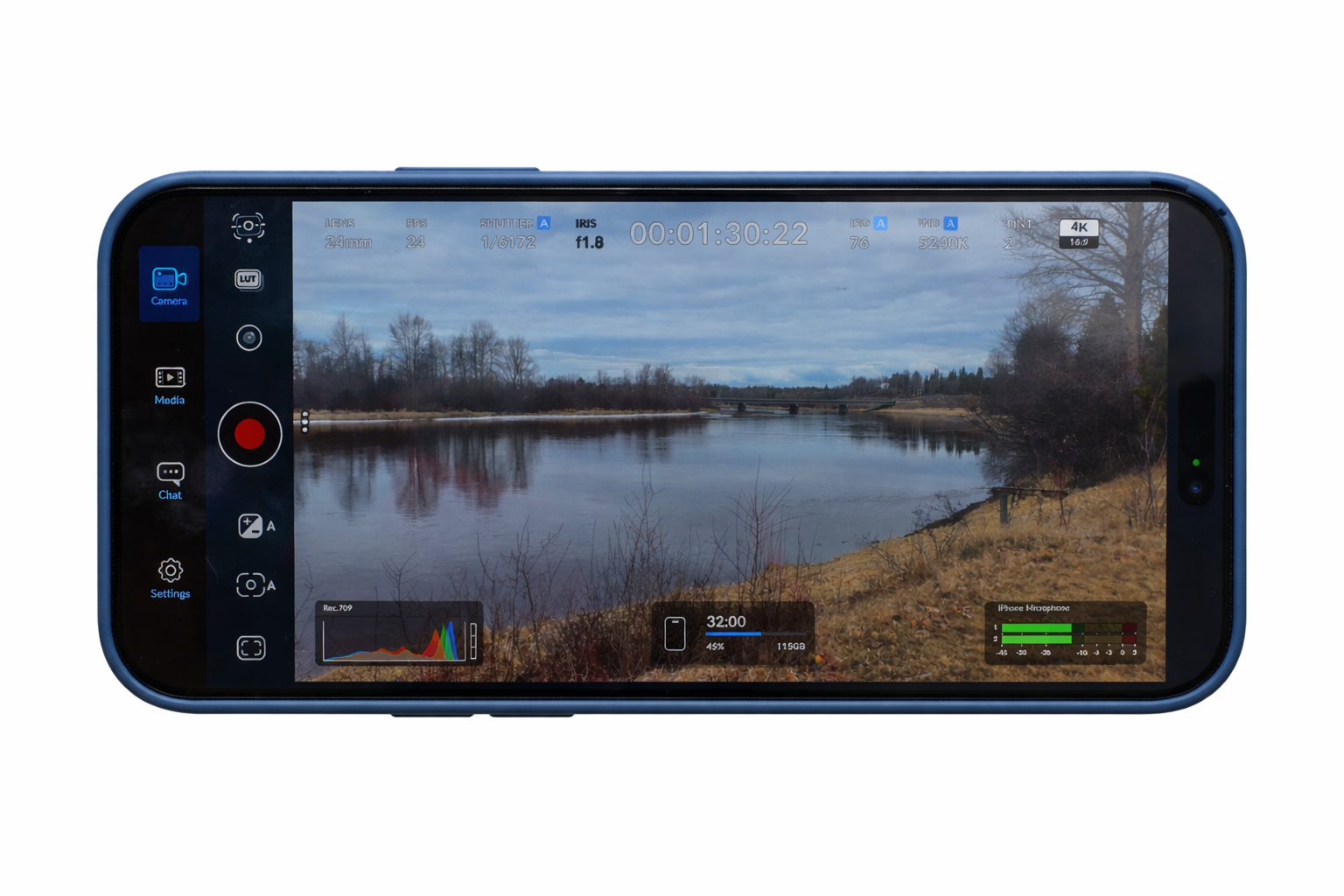
Another significant advancement in mobile filming has just occurred. Creators can now use an Apple Watch to operate their complete shooting setup from their wrist thanks to the most recent upgrade to the Blackmagic Camera.
With the addition of strong features in version 3.3, your iPhone becomes a more versatile, professional-grade camera, ideal for live broadcasters, solo artists, and vloggers.
Apple Watch Integration: Control Your Camera from Your Wrist
One of the standout features of this update is the brand-new Apple Watch companion app. It allows you to remotely control your iPhone camera with ease.
What You Can Do with the Watch App
- Start and stop recording instantly
- Adjust zoom levels
- Change settings like ISO, white balance, and frame rate
- Control shutter speed (angle)
- Preview your shot in real time
This feature is especially useful for solo creators who often film themselves. You can mount your phone on a tripod and control everything without needing to touch the device.
While the preview screen on the watch is small, it still helps with basic framing and positioning—saving time and effort during shoots.
Perfect for Solo Creators and Vloggers
If you’re into vlogging or creating stand-up videos, this update simplifies your workflow significantly.
Instead of constantly running back and forth to your camera:
- You can adjust settings remotely
- Ensure proper framing before recording
- Capture content more efficiently
This makes the app ideal for:
- YouTubers
- Content creators
- Social media influencers
ATEM Mini Integration: Turn Your iPhone into a Live Studio Camera
Another powerful addition is support for the ATEM Mini, a popular tool used by streamers and broadcasters.
With this integration, your iPhone can function like a professional broadcast camera.
How It Works
By connecting your iPhone through the Blackmagic Camera ProDock, you unlock advanced capabilities:
- HDMI output for live streaming
- Remote camera control via ATEM Mini
- Real-time adjustments for focus, zoom, and recording
This setup is perfect for:
- Live streaming
- Multi-camera productions
- Online events and webinars
Built-In Color Grading with DaVinci Tools
The update also introduces a DaVinci-style primary color corrector, inspired by DaVinci Resolve.
This allows creators to:
- Adjust colors in real time
- Match footage across multiple cameras
- Create cinematic looks during live production
It’s a major advantage for professionals who want polished results without post-production delays.
Advanced Focus and Zoom Controls
For those aiming for a more professional setup, the app now supports Blackmagic’s Focus and Zoom Demand controls.
These physical controls:
- Attach via USB-C
- Let you adjust focus and zoom smoothly
- Allow hands-on control without touching your phone
This feature brings a true broadcast camera experience to mobile filmmaking.
Performance Improvements and Pro Features
Beyond the major updates, version 3.3 also includes:
- ProRes RAW stabilization for smoother footage
- General bug fixes and performance enhancements
These improvements ensure better reliability and higher-quality output for all users.
Why This Update Matters
This isn’t just a minor update—it’s a major step toward turning smartphones into full production tools.
With the combination of:
- Apple Watch control
- Live broadcast integration
- Advanced color grading
- Professional hardware support
The Blackmagic Camera app is quickly becoming one of the most powerful mobile filmmaking solutions available today.
Final Verdict: A Must-Have Tool for Creators
If you’re serious about content creation, this update is hard to ignore.
Key Takeaways
- Apple Watch control makes solo shooting effortless
- ATEM integration unlocks professional live production
- Advanced tools bring cinematic quality to mobile devices
Bottom Line
With version 3.3, Blackmagic has blurred the line between smartphones and professional cameras. Whether you’re filming YouTube videos, streaming live events, or creating cinematic content, this update gives you the tools to do it all—right from your iPhone.